Advertiser disclosure: Safe Mobile Banking may earn a commission from some companies we review. We don’t earn anything from PayPal, and commissions never change what we say. How we make money.
Short answer
How do you spot a PayPal scam email? Don’t trust the sender address. Scammers send fake invoices through PayPal’s own system, so the email can really come from service@paypal.com. The tell is a phone number to call, a payment you never made, or pressure to act fast. Never call the number. Check by opening the PayPal app yourself.
- An unpaid invoice or money request doesn’t take money from you
- PayPal never puts a support number in an invoice note
- Forward fakes to phishing@paypal.com, then delete them
Check your PayPal email in 30 seconds (Free. Four checks, no clicking anything in the email.)
Last verified: November 15, 2026, against PayPal’s help center and security pages, the Federal Trade Commission’s phishing guidance and the FTC’s 2025 fraud data.
Is this a PayPal scam email? The quick check
| What you see | What it usually means | Source |
|---|---|---|
| “Dear user” or “Hello PayPal member” | Fake. PayPal emails address you by your first and last name, or your business name. | PayPal help center |
| A phone number in an invoice or money request note | Scam. The number reaches the scammer, not PayPal. | PayPal help center |
| An invoice for something you never bought | Scam. Don’t pay it. | PayPal help center |
| “Your account is limited” with a link to log in | Phishing. PayPal only asks for your password on its own login page. | PayPal help center |
| A request for your password, card number or a code | Scam. PayPal won’t ask for these by email, text or phone. | PayPal security page |
| A crypto wallet address | Scam. Never send money to a wallet named in an invoice. | PayPal help center |
Can a scam email really come from service@paypal.com?
Yes, and that’s why this scam works. Anyone with a PayPal account can send an invoice or a money request. PayPal delivers it from its real address, so it passes your spam filter and can even show PayPal’s verified logo in your inbox. The scam is in the note the sender writes: a fake charge, then “call us at 1-8XX-XXX-XXXX if you didn’t make this purchase.”
PayPal describes three versions of this scam:
- An invoice or money request for something you never ordered.
- A real PayPal invoice with an alarmist note telling you to call a “customer service” number.
- A fake email designed to look like a PayPal invoice, sent from somewhere else.
The key fact: an invoice or money request is a request. No money leaves your account unless you pay it yourself. Ignoring it costs you nothing.
What happens if you call the number?
You reach a scammer posing as PayPal billing. Security researchers who track these callback scams report the same script: the “agent” confirms a large charge, then offers to cancel it if you share a sign-in code, pay a “refund fee,” or install remote-access software so they can “fix” your account. Each path ends with your money or your account in their hands.
PayPal’s customer service number is 1-888-221-1161, and PayPal says it will never call you from that number to ask for your personal or account information. Don’t trust caller ID either. PayPal warns that scammers can fake it, even when it says “PayPal.”
The most common PayPal scam emails
- Fake invoice with a phone number. “You’ve got a money request” for a laptop, antivirus renewal or crypto purchase, with a number to “dispute” it.
- “Your account is limited.” A warning that your account will be suspended unless you log in through the link. The link leads to a copy of PayPal’s login page.
- “You’ve received a payment.” A fake payment notice, usually to a seller, saying money is waiting once you ship the item or pay a fee.
- Fake purchase receipt. A receipt for a subscription you never bought, with a callback number to cancel it.
- Document-signing lure. An email that looks like a contract or invoice to sign, which opens a fake PayPal login page.
How to check a PayPal email in 30 seconds
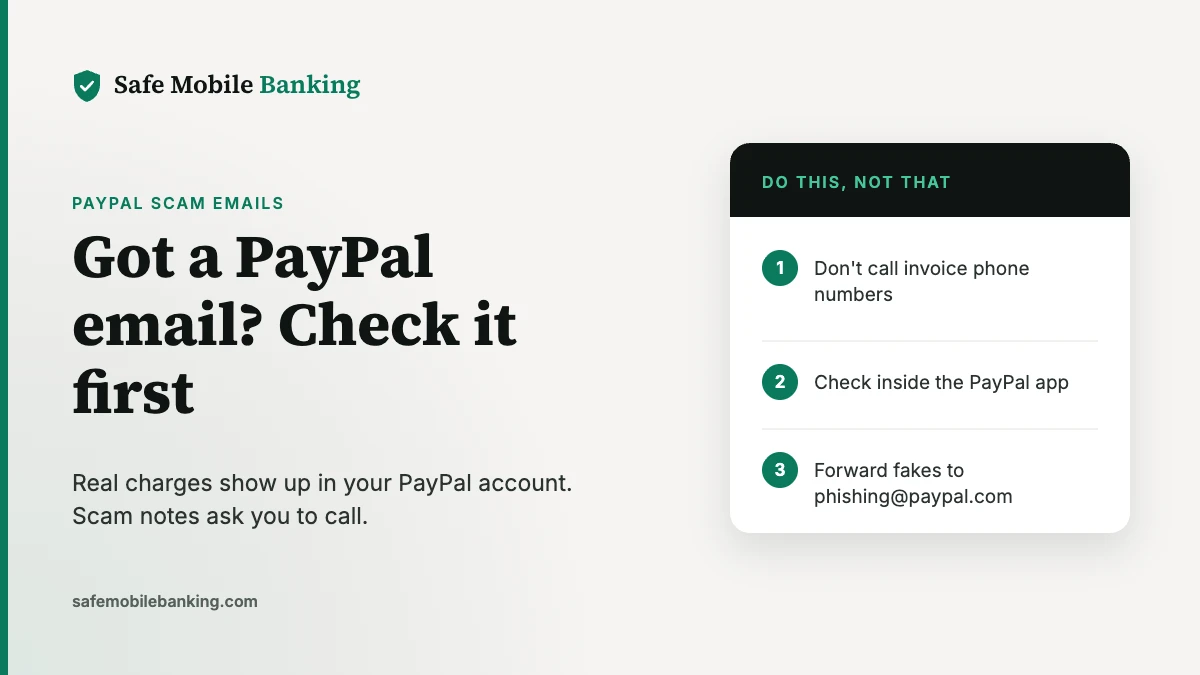
- Don’t click, call or open anything in the email. No links, no phone numbers, no attachments.
- Open the PayPal app, or type paypal.com into a new browser window. Real charges, invoices and account problems show up in your account.
- Look at the greeting and the ask. A generic greeting, a deadline, or a request for a password, card number or code means it’s fake.
- Read the invoice note, not the logo. A phone number or crypto wallet in the note means it’s a scam, even if the email came from PayPal’s real address.
How do you report a PayPal scam email?
- Forward the whole email to phishing@paypal.com. PayPal asks you not to change the subject line or send it as an attachment.
- Report a fake invoice or money request inside PayPal. Log in on the app or website, open the request and report it there.
- Forward scam texts to phishing@paypal.com and to 7726 (SPAM). Then block the sender and delete the message.
- Report it to the federal government. The Federal Trade Commission takes reports at ReportFraud.ftc.gov and asks you to forward phishing emails to reportphishing@apwg.org.
- Delete the email so you can’t click it by accident later.
What should you do if you clicked a PayPal scam email?
- Change your PayPal password by typing paypal.com yourself, and change it anywhere else you use the same one.
- Review your recent PayPal activity for payments you didn’t make, and report any unauthorized transaction in the app right away.
- Remove any remote-access app the caller had you install, then run a security scan, as the FTC recommends.
- Call your bank or card company using the number on the back of your card if you shared card or bank details.
- Go to IdentityTheft.gov if you gave out your Social Security number or other personal information. It builds a recovery plan based on what was exposed.
Scammers who get your sign-in codes by text can also try to take over your phone number. Our guide to preventing SIM swap fraud shows the free carrier lock that stops that.
How big is the problem?
Consumers reported losing $15.9 billion to fraud in 2025, up from more than $12 billion the year before, according to the Federal Trade Commission. Imposter scams, the category that includes fake company messages like these, drew more than 1 million reports and $3.5 billion in reported losses. The FTC says reported losses are only a fraction of real losses, because most people never report.
Are other payment apps targeted the same way?
Yes. The same fake-request trick shows up on Venmo, and callback scams target Zelle and Cash App users too. The rule holds everywhere: open the app yourself and never use contact details from a message. See Is PayPal safe?, Is Venmo safe?, Is Zelle safe? and Is Cash App safe? for each app’s protections.
Frequently asked questions
Is an email from service@paypal.com always real?
No. Scammers can send invoices and money requests through PayPal’s own system, so the email really comes from PayPal’s address. Read the note inside it. A phone number to call, a crypto wallet or a charge you don’t recognize means it’s a scam.
Does an unpaid PayPal invoice take money from my account?
No. An invoice or money request is only a request. No money leaves your account unless you pay it. Don’t pay it, report it inside your PayPal account, and ignore any number in the note.
What is PayPal’s real customer service number?
PayPal lists 1-888-221-1161, and says it will never call you from that number to ask for personal or account information. Reach PayPal through the app or the Help Center contact page, never through a number in an email or invoice.
Where do I report a PayPal scam email?
Forward the entire email to phishing@paypal.com without changing the subject line, then delete it. Report fake invoices inside your PayPal account, and report the scam to the Federal Trade Commission at ReportFraud.ftc.gov.
Can opening a PayPal scam email hack my account?
Reading it is rarely the danger. The risk comes from clicking links, opening attachments, calling the number or sharing a code. If you did any of those, change your PayPal password and review your recent activity right away.
Sources
- PayPal Help: What are invoice scams and money request scams on PayPal? (checked Nov 15, 2026)
- PayPal Help: What are common scams and how do I spot them?
- PayPal Help: How do I spot a fake, fraudulent, or phishing PayPal email or website?
- PayPal Security: Learn about fake messages
- PayPal Security: How to report suspicious emails and messages
- Federal Trade Commission: How to recognize and avoid phishing scams
- Federal Trade Commission: 2025 fraud reports and losses (March 2026)
Safe Mobile Banking is a publisher, not a financial advisor. This article is general information, not financial or legal advice. PayPal is a trademark of PayPal, Inc.; we’re not affiliated with PayPal. See our editorial standards.